Introducing DigitalOcean Cuttlefish: Get more done with agents on the go

By DigitalOcean
- Updated:
- 4 min read
Your agent has been refactoring for two hours. It’s deep in the codebase, making real progress, and then it stops: “Can I run this migration?”
Nothing happens until you answer. And you’re not at your desk. You’re in line at the grocery store, or waiting at school pickup.
DigitalOcean Managed Agents, in Public Preview, already moved your agents off your laptop and into the cloud. Each session runs in its own isolated sandbox, so the work keeps going after you close the lid. Now the person in the loop can be anywhere too.
Today we’re introducing Cuttlefish, a native iPhone app for Managed Agents. From your phone, you can review what an agent found, add the context only you have, approve the next step, or start new work. Then you put your phone away and get on with your day.
Keep up with agents that never clock out
Agents run for minutes, hours, or overnight, and they stop to ask for permission along the way. Cuttlefish is built for those moments:
- Follow live sessions: Watch replies, reasoning, and tool calls stream in, and get notified when a run needs approval, finishes, or fails.
- Approve or deny tool calls: See the full command, file path, or diff, rather than a summary, and unblock your agent from wherever you are. Requests classified as high risk require Face ID or your passcode.
- Steer mid-run: Send a correction, pause, resume, or stop a session when it’s heading the wrong way. Messages you send while the agent works get queued, so you can line up the next task without waiting.
- Work with the results: View what your agent built, including websites and documents, right in the app. Cuttlefish attaches to running servers and presents the content in a format suited to quick viewing. You can also browse workspace files, create checkpoints, and fork or roll back.
Built on three principles: choice, control, and collaboration
We built Managed Agents around three principles: choice, control, and collaboration. Choice means you pick the right tool for each job, so Managed Agents runs the harness your team already uses, from Claude Code and Codex CLI to OpenCode, OpenHands, Hermes, LangGraph, and CrewAI, with the models and 20,000+ tools that fit the work. Cuttlefish supervises all of them, so the app in your pocket isn’t tied to a single vendor’s agent.
Control and collaboration are what make it safer to let those agents keep running. You decide which actions an agent can take on its own, and which are off limits, so you stay in control without watching every step. Sessions run in DigitalOcean-hosted microVMs that persist independently of anyone’s device, so a run doesn’t depend on your laptop, and a teammate can join or take over when you’re away. Cuttlefish puts both on your phone, so you can approve, steer, or stop a run and see who’s in a session, wherever you are.
Point your agent at your Box files
Collaboration doesn’t stop at sessions. With this release, we’re bringing the filesystem for AI and Managed Agents together in a single, unified mobile experience. Box is launching Box Mount, now in private preview, which syncs a Box folder into your Managed Agents environment, so agents work on the same files your team already uses, under Box’s permissions, version history, and audit trail.
In Cuttlefish, open Customize > Tools > Box, sign in, and pick a folder. The agent works on plain files in its workspace. Its edits upload to Box, and changes made in Box show up in the workspace. Each person syncs with their own Box account. The agent can edit and delete files in the synced folder, and deletions sync back to Box.
For example, a fictional legal team keeps its vendor contracts in a Box folder, and an agent working on that folder stops to ask permission before writing a summary. On their way to a trial, a lawyer approves from their phone, and the summary lands back in the Box folder, where any colleague with access can see it right away. No one has to email a file or ask who has the latest copy.
Getting Started
Your agents are already doing the work. With Cuttlefish, the next time one stops to ask permission, you can answer from your phone instead of coming back to a stalled run.
- If you don’t have a DigitalOcean account, create one.
- Download Cuttlefish from the App Store.
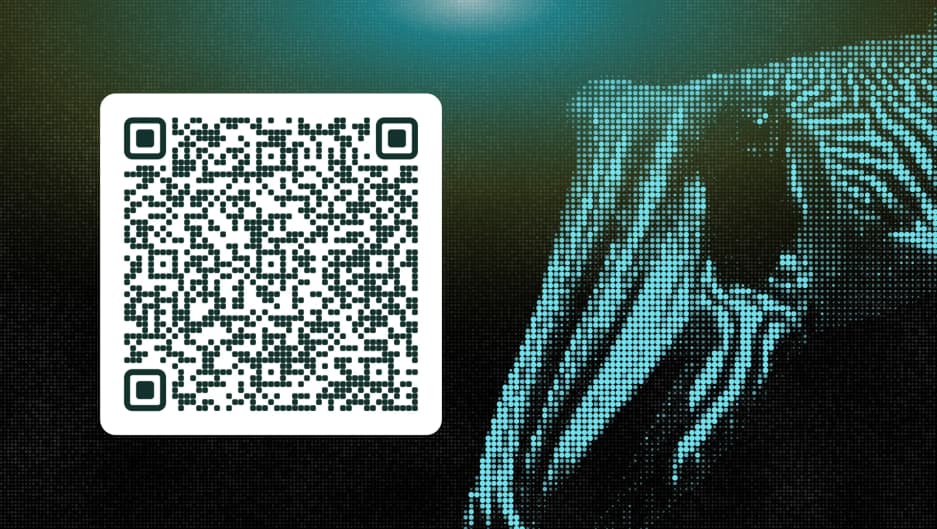
- Sign in with your DigitalOcean account.
- Start a session by choosing your coding agent, including Claude Code, OpenCode, and Codex CLI.
Why “Cuttlefish”?
Most product names describe what the product does. We wanted one that says something more.
The cuttlefish is one of the most dynamic camouflaging animals in the ocean. It adapts to its environment, changing its color, pattern, and texture to match whatever is around it. We think that’s a good metaphor for an agent, which has to adapt to the harness, tools, and models around it. The name points at what the app is about: choice, control, and collaboration, from wherever you are.
Claude Code, Codex CLI, OpenCode, OpenHands, Hermes, Box, App Store, and Face ID are trademarks of their respective owners. Their use here is for identification only and does not imply any affiliation with or endorsement by those owners.
About the author

Related Articles

DigitalOcean Signals: Observability for AI Agents and Inference
Ravi Verma
- October 28, 2026
- 8 min read

Prompt Caching is GA on DigitalOcean Serverless Inference: Up to 90% Off the Context Your Agents Resend
- October 23, 2026
- 4 min read

Building a computer that can pause and resume in milliseconds: Inside the MicroVM architecture behind Managed Agents
Braden Bassingthwaite
- October 15, 2026
- 20 min read