DigitalOcean MCP Server is now available


By Mavis Franco, Nicole Ghalwash, Amit Jotwani, and Bikram Gupta
- Published:
- 5 min read
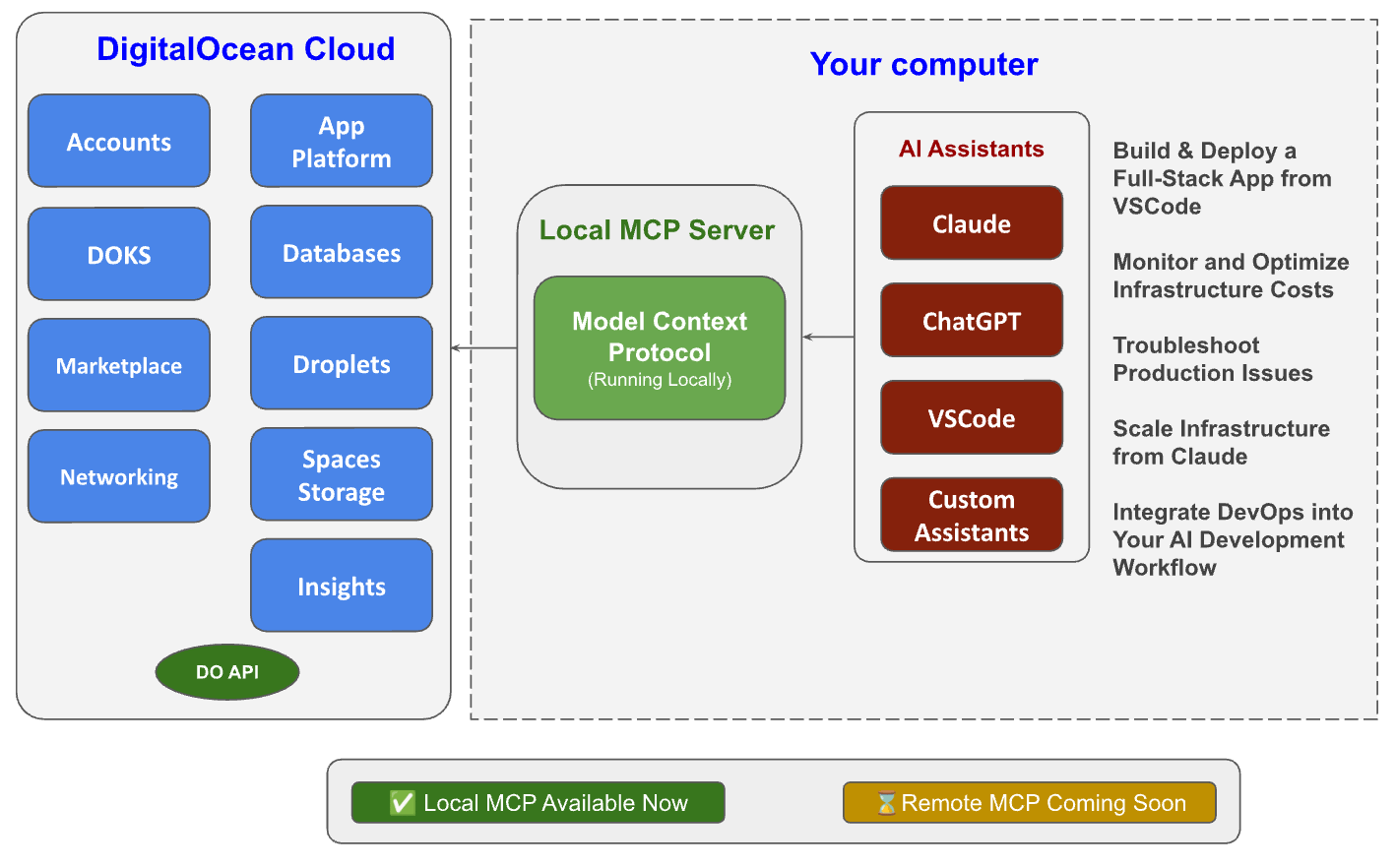
The new DigitalOcean MCP (Model Context Protocol) Server enables you to manage your cloud resources with simple, natural language commands through AI-powered tools like Cursor, Claude, or your own custom Large Language Models (LLM). Running locally, it connects seamlessly to 9 services – making cloud operations faster, easier, and more intuitive for developers.
→ Try the new DigitalOcean MCP Server today by following the specific configuration guidelines for the MCP client from the DigitalOcean MCP GitHub repo
→ Watch our most recent MCP Server video walkthrough:
→ Explore the Model Context Protocol (MCP) Overview
What is Model Context Protocol?
Model Context Protocol (MCP) is an open-source standard that streamlines how AI systems like large language models (LLMs) connect with external tools, systems, and data sources. It defines a standard and consistent way to manage and share context across machine learning components, replacing fragmented integrations. An MCP Server acts as a bridge between an AI application and these external resources.
Learn more about the DigitalOcean MCP Server
1. Broad Service Coverage
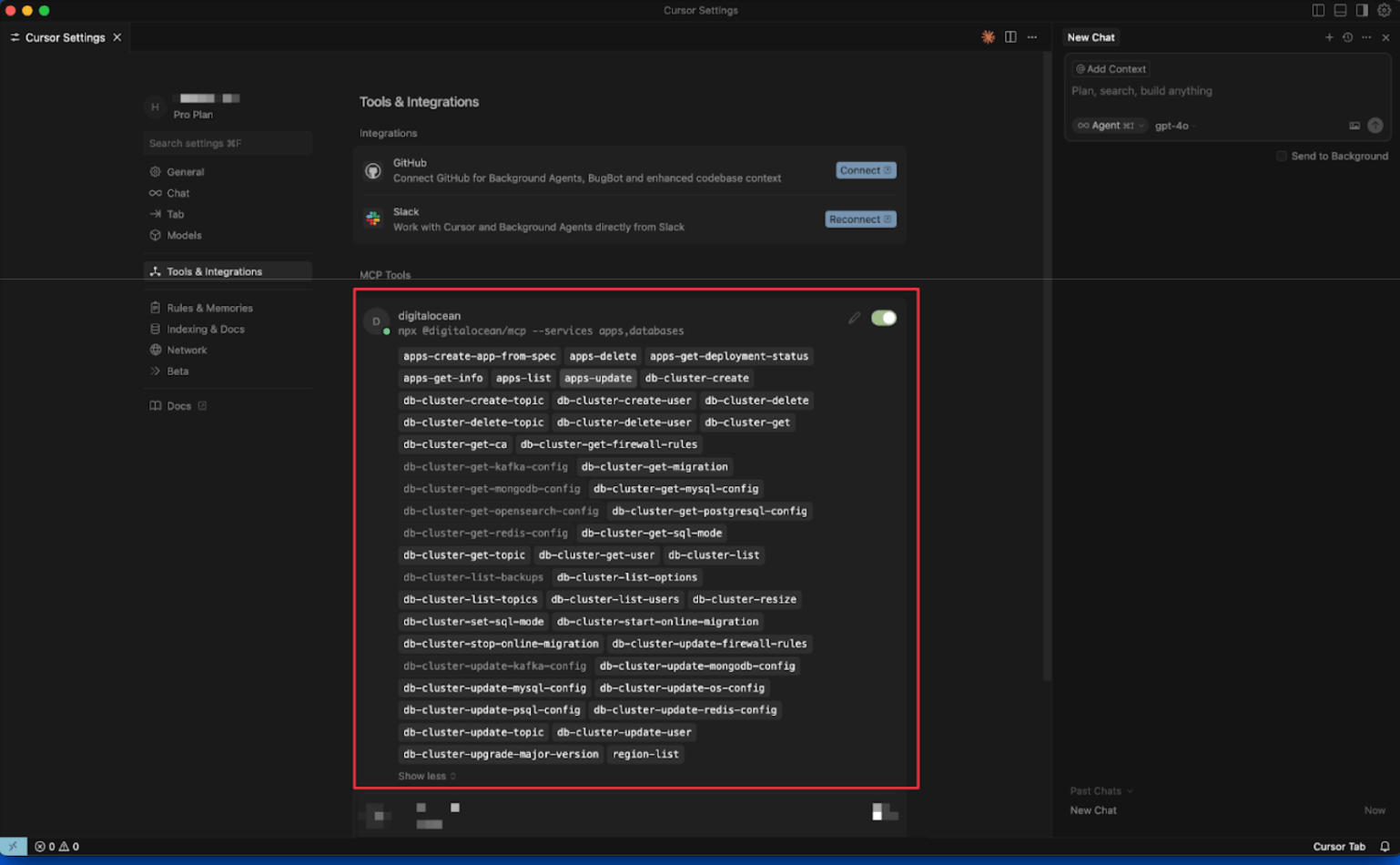
Now supports 9 services (and growing): Accounts, App Platform, Databases, DOKS, Droplets, Insights, Marketplace, Networking, and Spaces Storage. Instead of juggling multiple dashboards or tools, you can manage common cloud operations right inside your favorite MCP-compatible tools.
2. Natural Language to API Translation
Turn plain English into real API actions. No more digging through docs or writing scripts – just ask your AI assistant.
Examples:
-
Deploy and Manage Apps: Run commands like
deploy a Ruby on Rails app from my GitHub repoorcheck which apps are on my account. -
Create and Manage Databases: Easily provision a new PostgreSQL database or create a new database. For example, you could use the command
create a new PostgreSQL database named "my-project-db" with PostgreSQL version 14and it would do so in no time. -
Work with Files: Upload files from a local directory to a Spaces bucket, create a temporary access key, and get public URLs for your files. An example command could be
upload my-photos directory to my-bucketor a more specific command could besync local-project-files to my-spaces-bucket in the 'assets' folder. -
Check Certificates and Monitoring: Check the status of your SSL certificates. An example command could be
check the status of my SSL certificates or check the status of the SSL certificate for [my-website.com](http://my-website.com) -
Optimize and Understand Costs: Get visibility on your cloud costs, drill down into your monthly app spending, or view your billing history for the last 12 months to understand reasons for higher bills in specific months. An example command could be
show me my cloud costs from Decemberorbreak down my cloud spending from the last 6 months.
3. Simple, Transparent Setup
Getting started is easy.
-
Get your DigitalOcean API token from the Applications & API page in the DigitalOcean console.
-
Add your token when configuring the MCP client. Here’s an example mcp.json snippet:
{

  "mcpServers": {

    "digitalocean": {

      "command": "npx",

      "args": ["@digitalocean/mcp", "--services apps"],

      "env": {

        "DIGITALOCEAN_API_TOKEN": "YOUR_API_TOKEN"

      }

    }

  }

}
Your credentials stay under your control, and you can start managing infrastructure in minutes.
4. Scoped Access for Security & Simplicity
Once you’re set up, you decide which services your AI assistant can access. Use the --services flag when starting the MCP server to restrict access to only what you need:
--services apps,databases,droplets
Scoping keeps things focused. It prevents the model from getting confused by too many options, avoids unnecessary context bloat, and limits access to only what you actually need.
5. Seamless Integration
Works out of the box with Claude Code, Cursor, VS Code, Windsurf, and any other MCP-compatible clients – so you can manage your infrastructure without leaving your favorite tools.
Why This Matters
You can now efficiently integrate cloud management directly into your AI assistants (Claude, Cursor, VSCode, Custom Assistants) – no more context switching, manual API requests, or digging through the console for metrics. Whether you’re scaling infrastructure, troubleshooting in real-time, or deploying full applications, DigitalOcean MCP server makes the process faster, secure, and accessible.
Since going live on GitHub two weeks ago, hundreds of developers are already using the MCP Server daily to get their work done–provisioning infrastructure, monitoring usage, reviewing logs , and automating cloud tasks with plain English.
How to Get Started
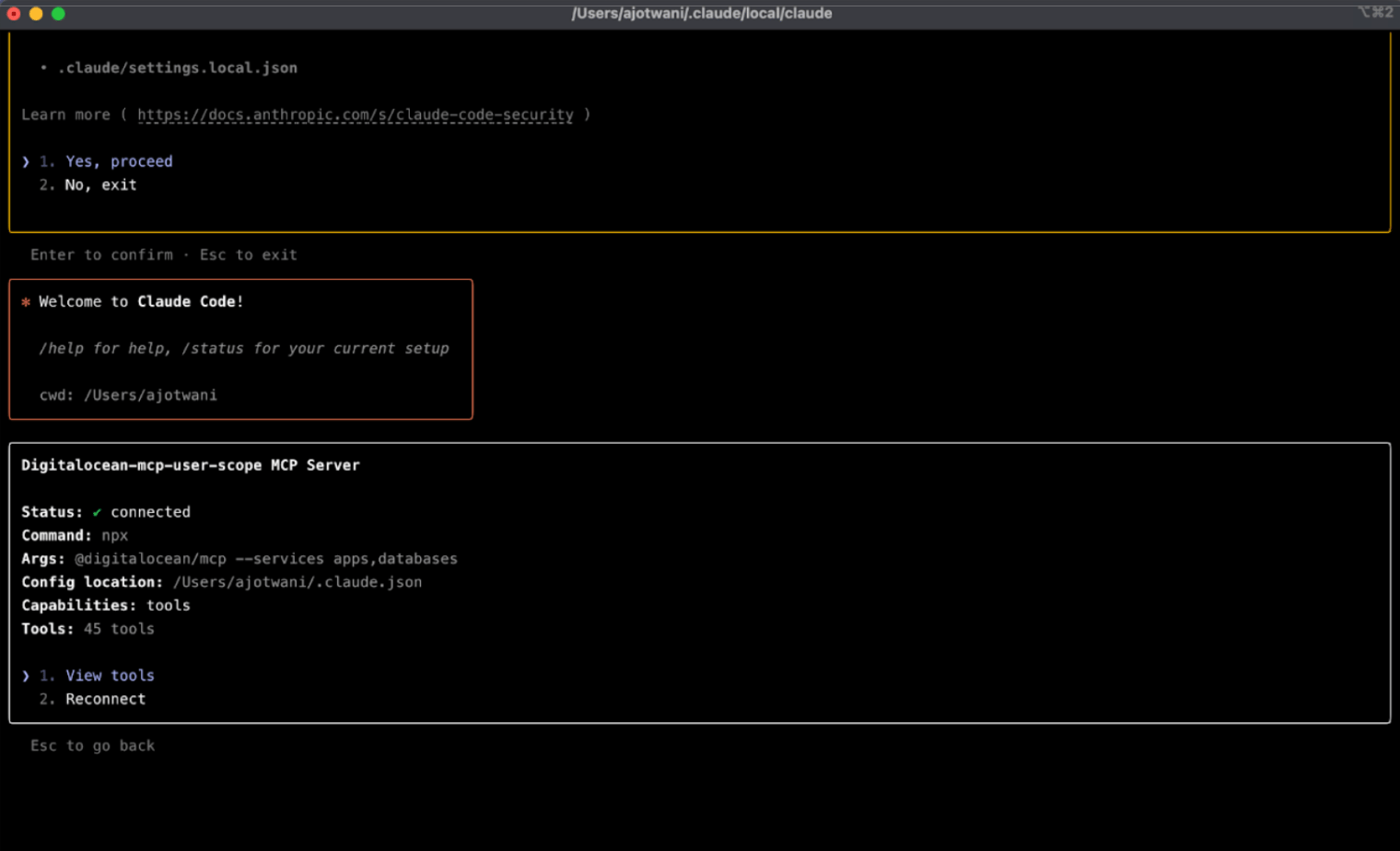
- Follow the specific configuration guidelines for the MCP client (eg. Cursor, VS Code, Claude Code) from the DigitalOcean MCP GitHub repo. For example, for Claude Code:
claude mcp add digitalocean-mcp \

  -e DIGITALOCEAN_API_TOKEN=YOUR_DO_API_TOKEN \

  -- npx @digitalocean/mcp --services apps,databases
- Watch this video to learn how to manage your DigitalOcean services with natural language commands. You’ll see end-to-end examples to build workflows like deploying a Ruby on Rails app on App Platform, creating a PostgreSQL database, uploading to Spaces, checking SSL certificates, and optimizing costs with billing insights and tips.
- The following video demonstrates how to build and deploy an application to App Platform from Cursor.
Important things to remember
When using an MCP server, it’s important to balance automation technology with preventative measures. Remember to include human intervention when exploring MCP Server, as a safeguard. Use secure access controls, clear audit trails, and strong error handling to help keep your system reliable. A layer of human oversight helps to ensure that critical decisions aren’t left entirely to automation. As with most new technologies, regular testing, monitoring, and maintenance are ideal best practices to adopt for a successful and resilient setup.
Availability & Pricing
-
Availability: Supported in production.
-
Pricing: Free.
Related Resources
- GitHub repository
- Model Context Protocol overview
- Docs coming soon
Feedback & Next Steps
We’d love to hear what you build with MCP. Try it out, share your feedback in Community, or open an issue on GitHub to help shape the future of AI-powered cloud management at DigitalOcean.
About the author(s)


Related Articles
Run Codex in the cloud – DigitalOcean for Codex is now available
- June 25, 2026
- 3 min read

The Inference Tax: How Prefix-Aware Routing Eliminates the Hidden Cost of LLMs at Scale
- June 1, 2026
- 13 min read

Advanced Prompt Caching at Scale
- April 7, 2026
- 6 min read